Private AI chat,
on your own machine.
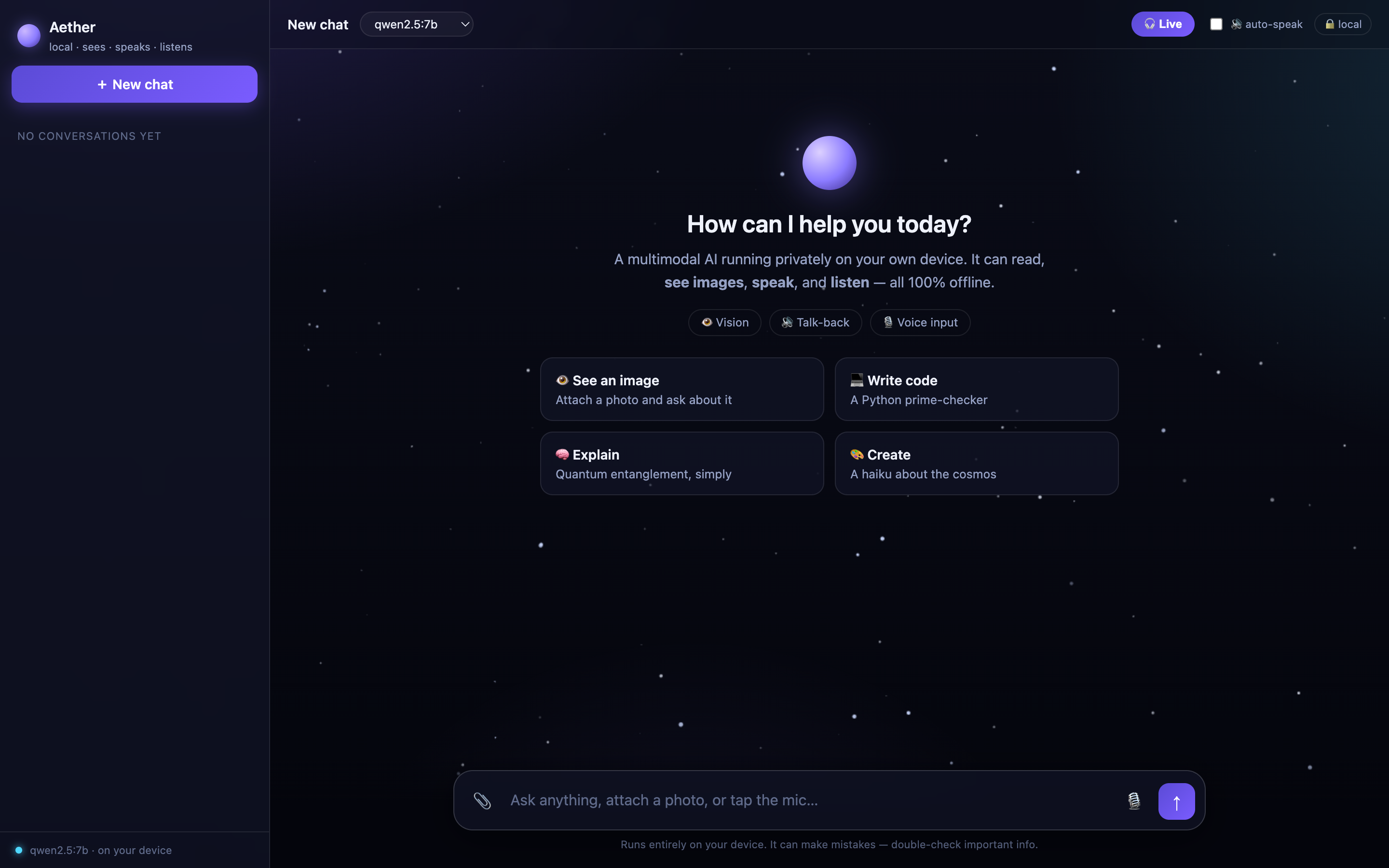
A clean chat interface for any Ollama model. Text, images and hands-free voice, and nothing leaves your device.
macOS, Windows or Linux · Python 3 and Ollama · MIT licence
It can see
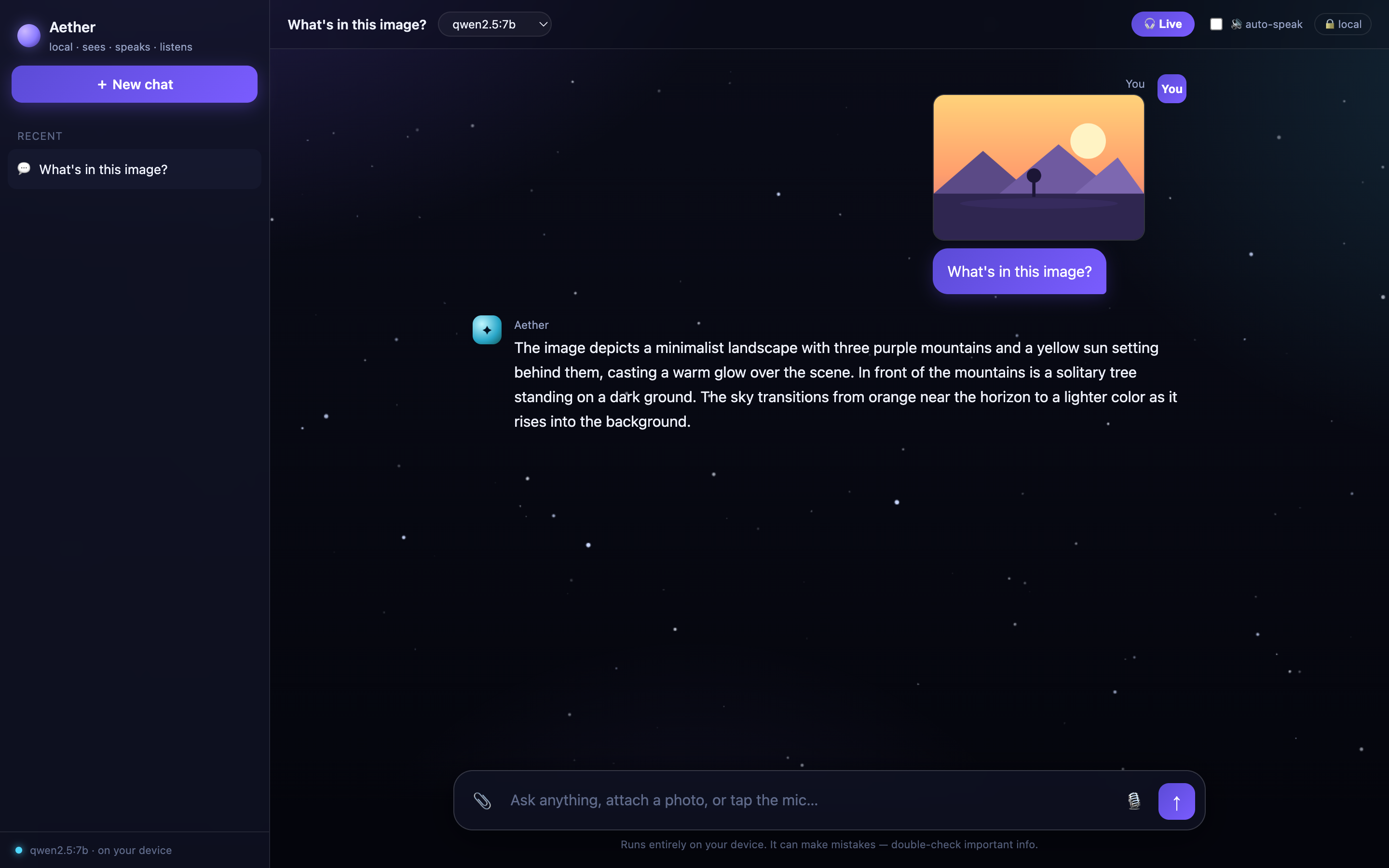
Attach, paste or drag in a picture and ask about it. Aether switches to a vision model on its own, then back again.
Just talk to it
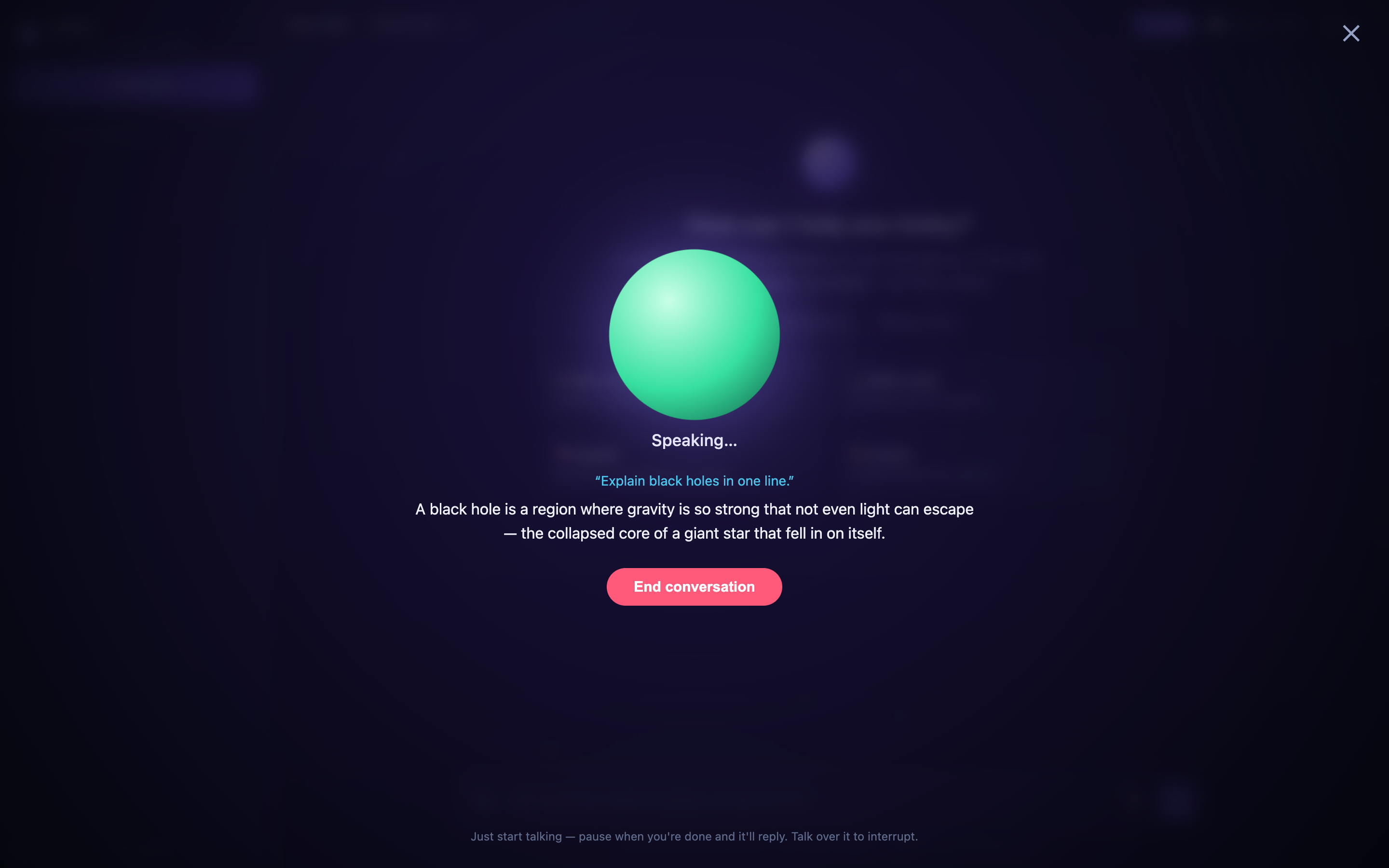
Live mode is a hands-free conversation: it hears when you stop, answers out loud, then listens again. Talk over it to interrupt.
A chat that feels finished
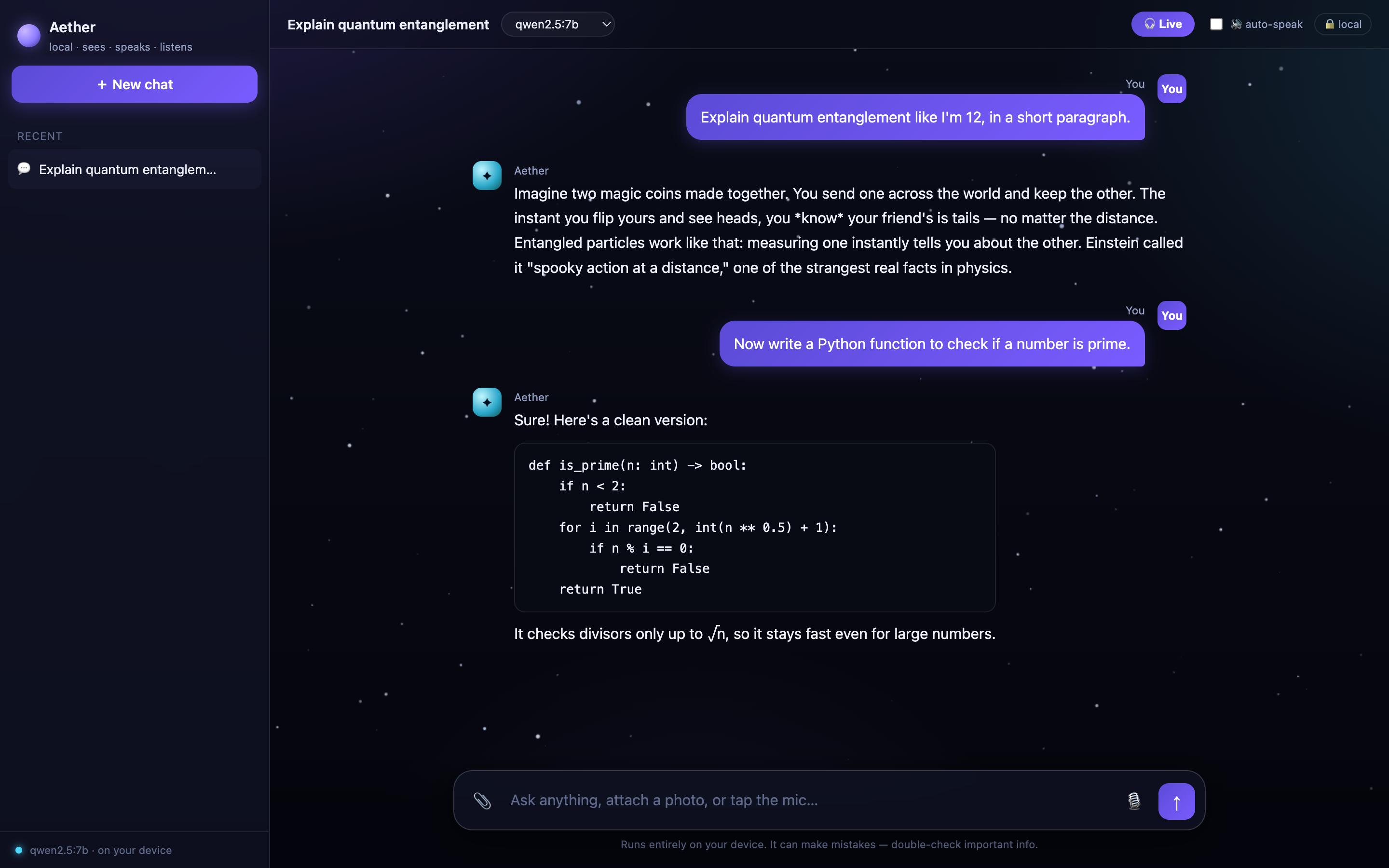
Replies stream in with a live speed meter, code blocks have one-click copy, and your conversations stay in a sidebar in your own browser.
And the rest
- Any model you haveQwen, Llama, Mistral, Gemma and more. Swap from a dropdown, no restart.
- No dependenciesThe whole server is one short Python file using only the standard library.
- No cloud, no keysNo sign-up and no API key. It talks to the Ollama on your machine and nothing else.
- Reads replies aloudUsing your computer's built-in voices.
- Speech stays localOptional voice input is transcribed on your device with Whisper.
- Works on your phoneOpen it from a phone or tablet on the same network.
Install
- Install Ollama and pull a model:
ollama pull qwen2.5:7b - Get Aether and start it:
git clone https://github.com/ZANYANBU/aether.git cd aether ./run.sh - Open
http://localhost:8100and pick your model.
Want it to understand images? Also run ollama pull qwen2.5vl:3b. Voice input is optional and needs faster-whisper; the README has the steps.